


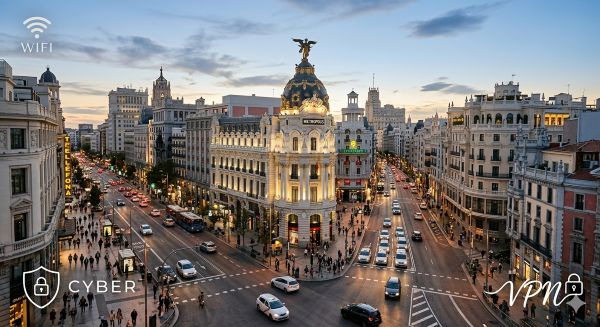
I’ve been in Madrid for a few days now. And I noticed something.
Everywhere I set up my laptop, there’s an open wifi network waving at me. Terraces, cafés, public squares. No password. No friction. One click and you’re in.
Tim Hortons just opened here, and the wifi is as accessible as the donuts. A perfect nod to Canada — the digital hygiene, slightly less so.
Because behind an open network, it’s not all generosity.
Public wifi is like talking loudly on the metro
An unencrypted wifi network is a conversation anyone nearby can listen to. No need to be a movie hacker with a black hoodie and three monitors. A Man-in-the-Middle attack runs on freely available tools, in the same café, by someone who looks like they’re finishing an intern report.
Everything travelling in clear text goes through their hands. Login credentials, session cookies, authentication tokens. All while you finish your coffee watching people stroll down Gran Via.
The ANSSI and the FBI have both issued official warnings on this. It’s not a lab scenario. It’s everyday life.
The fake network that looks just like the real one
The even more classic scenario is the Evil Twin. Someone creates a network with the exact same name as the real one: “TimHortons_Free”, “Madrid_Wifi_Guest”. Your phone, which saved a similar network last week, connects automatically. Without asking you.
You’re not doing anything wrong. You’re not clicking on anything suspicious. And yet, you’ve just opened a window into your network traffic.
But I have HTTPS — I’m protected, right?
Partly. HTTPS encrypts the content of your exchanges. But it doesn’t hide the fact that you’re connecting, or the metadata travelling around it. And most importantly, it doesn’t protect your mobile apps running in the background, calling APIs, syncing data, while your screen sits face-down on the table.
That’s the real blind spot. Not what you consciously do. What your phone does without you.
The public wifi survival guide
No way I’m telling you to stay offline. Here’s what I actually apply myself, in order of priority:
Turn on a VPN before you connect. Not after. Before. All your traffic goes through an encrypted tunnel, even on a compromised network. NordVPN, ProtonVPN, Mullvad… under 5 euros a month. That’s the price of one coffee in Madrid, and it protects infinitely better.
Turn off auto-reconnect to known networks. It’s in your phone’s wifi settings. Otherwise tomorrow morning your device silently reconnects to the nearest Evil Twin without telling you.
Don’t connect to anything sensitive. Banking, work email, HR tools, your operator’s client portal. Not on public wifi. Those actions can wait until you’re on mobile data or your hotel connection. Two minutes of patience beats a compromised account.
Be suspicious of captive portals asking for an email or Google account to connect. Often legitimate, sometimes not. When in doubt, use a throwaway address you created specifically for this.
Double-check the network name before clicking. “TimHortons_Free” and “TimHort0ns_Free” look very similar on a phone screen in the Madrid sun.
Turn wifi off when you’re not using it. Your phone can’t connect to a rogue network if it’s not looking for one. Airtight logic.
And if you have mobile data left, use it. A personal hotspot from your plan means zero external interception risk. EU roaming exists for exactly this.
Madrid is a connected city. Stay connected — but smartly.
Madrid’s open wifi isn’t a trap in itself. The city government is making a genuine infrastructure effort, Tim Hortons just wants to keep you on the terrace longer with a double-double. That’s fine. That’s convenient.
The problem is that convenient and secure aren’t always the same thing. And nobody tells you that at the moment you click “Connect”.
Consider this article the sign that should have been posted next to the network.