


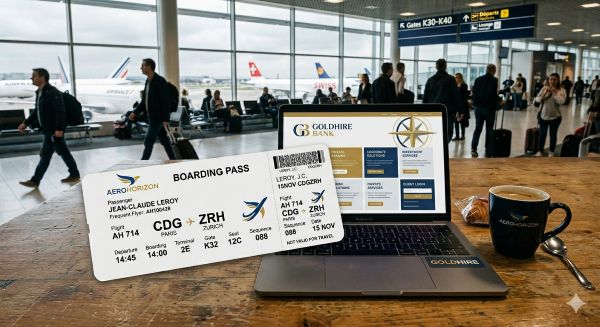
Spoiler alert: no, that’s not my real boarding pass in the image. I’ll explain exactly why in the 600 words that follow.
Barajas. Terminal 4. Two hours to kill.
The kind of moment where you order an overpriced coffee, open your phone, and your mind starts to wander. I looked at my boarding pass on the screen. That QR code I’ve shown ten times since this morning. At the kiosks, to the agents, in the queue.
And I wondered: what’s actually in there?
Spoiler: a lot more than your seat number
A boarding pass QR code is a standardised format. The BCBP, or Boarding Card Bar Code, defined by IATA. And that standard is public. Which means anyone with a slightly curious QR reader can decode your boarding pass.
What’s inside: your full name, flight number, departure and arrival airports, seat number, baggage status, PNR booking code, and often your frequent flyer number.
The PNR is the most sensitive part. With that six-character code and your name, anyone can access your complete booking on the airline’s website. Itinerary, contact details, meal preferences, sometimes the last four digits of the payment card used.
All of that in a QR code you’re holding up in a queue.
The boarding pass photo on social media
You’ve definitely seen this kind of post. Someone heading off on holiday, posting a photo of their ticket with the QR code visible. Sometimes half-blurred, sometimes not at all.
Half-blurring the QR code is pointless. The BCBP format encodes data with redundancy — a partially visible code is often enough to decode.
And once the PNR is retrieved, what then? You can view the booking, sometimes modify it, change the seat, cancel luggage. Some airlines even allow contact details to be changed from the booking management portal with just the PNR and name.
This isn’t science fiction. It’s documented, tested, and regularly flagged by security researchers.
At the airport, your boarding pass travels a lot
This morning I showed my QR code at an automated kiosk, to a security agent, to a second agent at the Schengen zone entrance, and I’ll show it again at the gate.
Every time, someone or something scans it. In the vast majority of cases, completely legitimate. But in a crowded area, a discreet camera or a simple phone can capture what’s on your screen without you noticing.
Brightness is often maxed out to speed up scanning. Convenient for the kiosks. Convenient too for anyone standing nearby.
Good habits, without going full paranoid
Never post your boarding pass on social media, even blurred. Even after the flight. The PNR stays active for a while after landing, and the personal data attached to it too.
Turn your brightness down between checks. No need for your QR code to be readable from three metres away while you’re waiting in line.
After your trip, delete the ticket from your photo gallery and travel app if you no longer need it. A screenshot sitting on a lost or hacked phone is an accessible booking.
Enable two-factor authentication on your airline account. The PNR alone is no longer enough to access the booking if access is properly protected. If you travel regularly, this is the bare minimum.
Back to my overpriced coffee
The flight leaves in an hour and a half. My boarding pass is back in my pocket.
Just with a slightly different perspective on that little black and white square I’ve been carrying around since this morning without really thinking about it.
It’s not a ticket. It’s a key. Treat it like one.