


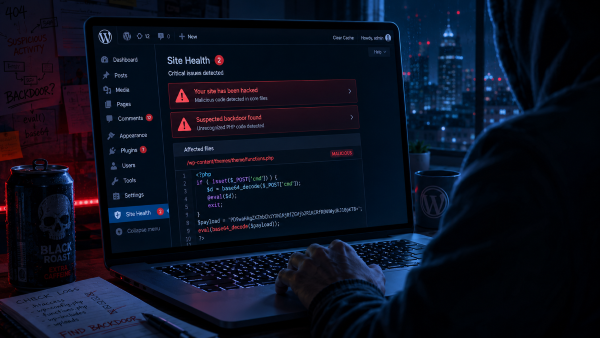
It happened one evening. Well, I found out the next day.
The site was loading strangely. A weird redirect on mobile, to some shady URL. Nothing on desktop. Like the problem was trying to stay hidden.
My first thought was a cache bug. We always tell ourselves that at first.
What exactly happened
A plugin. Not some obscure thing downloaded from a sketchy forum. A fairly well-known plugin that hadn’t been updated in a few months. Someone had slipped a backdoor into it. Obfuscated code hidden in a file nobody ever reads.
The kind of thing that just sits there quietly. Waiting.
The backdoor was injecting content. Mobile redirects to phishing sites. Classic. Effective. And search engines love penalizing that kind of thing. SEO poisoning works exactly on this principle: discreet, efficient, and devastating for rankings.
First instinct: don’t touch anything
Basic instinct: delete the plugin, clear the cache, get on with life.
Bad idea.
If the backdoor had time to run, it may have created other entry points. Modified files. A ghost admin account. Deleting the visible plugin doesn’t fix what you can’t see yet.
I asked Claude for a real-time todo list
Didn’t think to go to a forum. I opened Claude and asked directly: my WordPress has a compromised plugin with injected code, where do I start.
The list it gave me was solid. In order:
- Put the site in maintenance mode immediately
- Don’t delete anything before analyzing
- Scan with Wordfence (full scan, not the quick one)
- Check recently modified files (abnormal modification dates)
- Look for suspicious patterns:
eval(base64_decode(...)),base64,gzinflate - Check all WordPress user accounts (ghost admin?)
- Check WordPress core files
- Check
functions.phpand theme files - Scan the database (external links injected in options, content, widgets)
- Cleanly reinstall WordPress core
- Remove unmaintained or suspicious plugins
- Change all passwords (WP, FTP, DB, hosting)
- Regenerate WordPress salts in
wp-config.phpvia api.wordpress.org/secret-key — logs out all active sessions - Enable 2FA on the admin account
- Check Google Search Console (manual penalty? infected URLs indexed?)
- Restore from a clean backup if the damage is too extensive
I followed that order. It stopped me from making mistakes.
What the scan found
The Wordfence report spits out a list of modified files and suspicious files. eval(base64_decode(...)) is the classic sign. If you see that in a WordPress file, something’s wrong.
There was also an admin account I hadn’t created. Strong password, external email. Discreet.
Deleted.
The cleanup
File by file for the suspicious areas. WordPress core reinstalled cleanly. Plugins checked one by one.
The theme too. Even though it wasn’t the original source, I checked functions.php and the template files. That’s where injections like to hide.
Then the database. Searching for external links injected in content, WordPress options, widgets. Often forgotten.
Salts regenerated in wp-config.php. All sessions cut at once. Feels weird the first time but that’s exactly the point.
What I should have had in place before
Automatic daily off-server backups. I had some, but not recent enough. Lost a few days of config.
File change monitoring. Wordfence does this continuously if you enable it properly. It would have caught the modification much earlier.
One less plugin. Every unmaintained plugin is an open door. I uninstalled several after this. Not because they were compromised, because they were useless.
After the cleanup
Checked Google Search Console. No manual penalty declared. But the mobile redirects had started getting indexed. Cleaned up the URLs using the GSC removal tool.
What I learned
An outdated plugin is an open door. Maybe not broken down tomorrow, but open.
The problem with WordPress is you install it, add stuff, and forget to clean house. Meanwhile the vulnerabilities stack up.
I manage my sites differently now. Fewer plugins. Weekly updates. Automatic off-server backups.
And Wordfence running active monitoring, not just installed and forgotten in the plugin list.